
Home-screen widget
Calories left, eaten and today's budget, updated as you log—plus a button to add your next meal.
Set a goal, log a meal in seconds with your voice or a photo, and let a budget that understands real life keep you on track—from the first day to a smarter next plan.
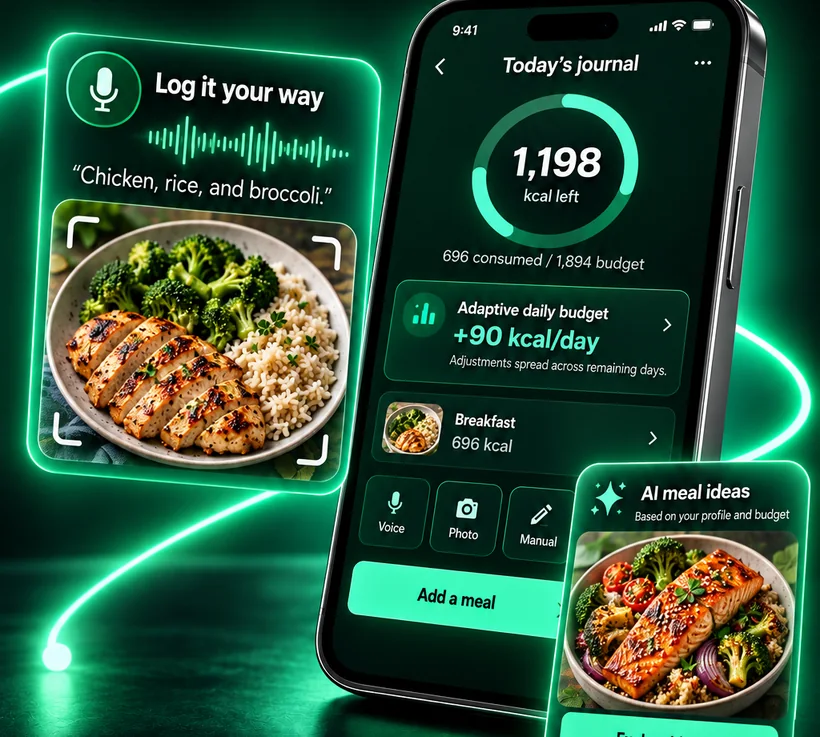




Most apps judge each day on its own. Calorie Budget connects them: a clear goal, effortless logging, a budget that adapts, ideas for what to eat next and insights that make every plan better than the last.
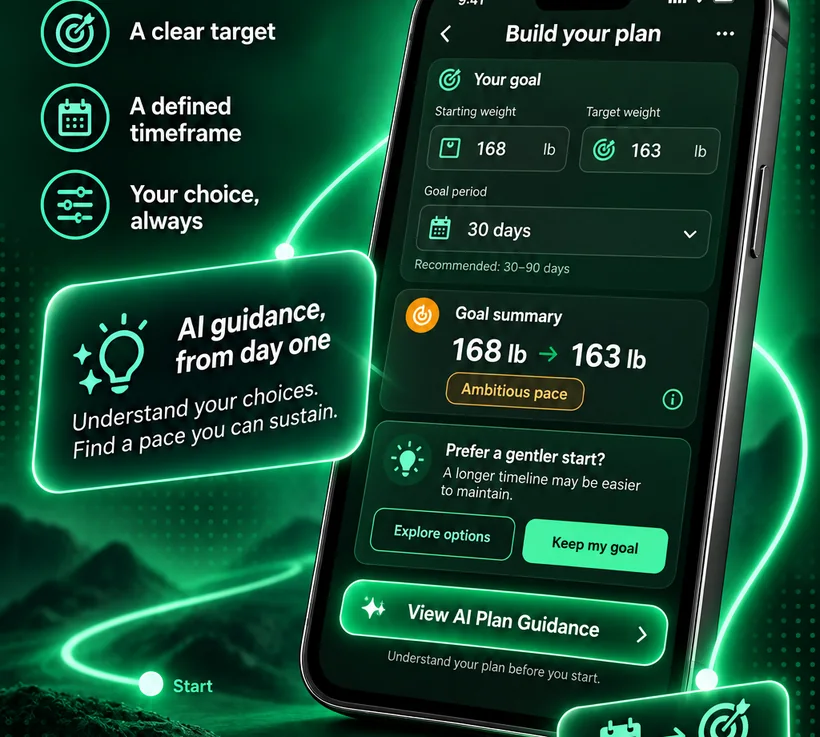
Enter where you are, where you want to go and how active you really are. Calorie Budget turns it into a daily budget and a goal period you can see from start to finish—whether you want to lose, maintain or gain weight.
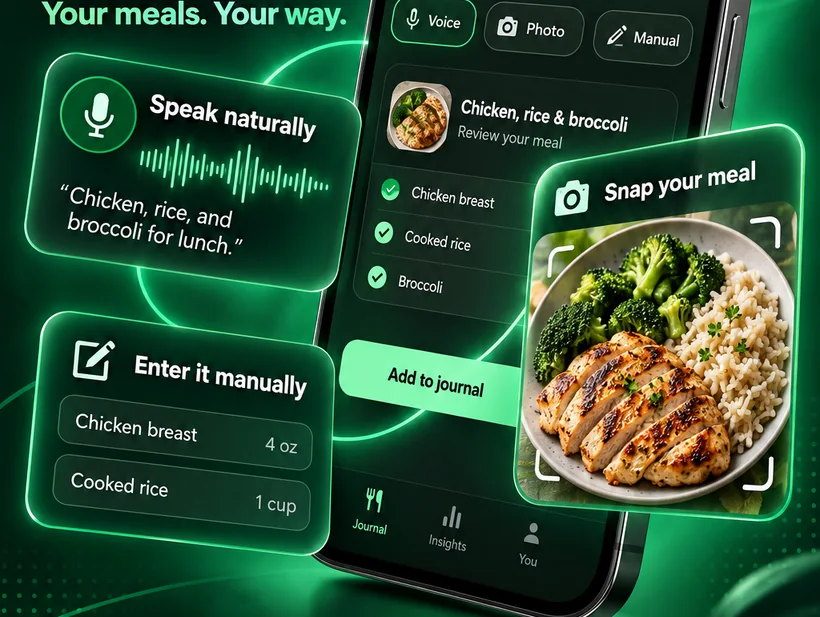
Logging should take seconds, not willpower. Describe a meal in your own words, take a photo, scan a barcode or add an item by hand. AI turns everyday language into food entries with calories and macros.
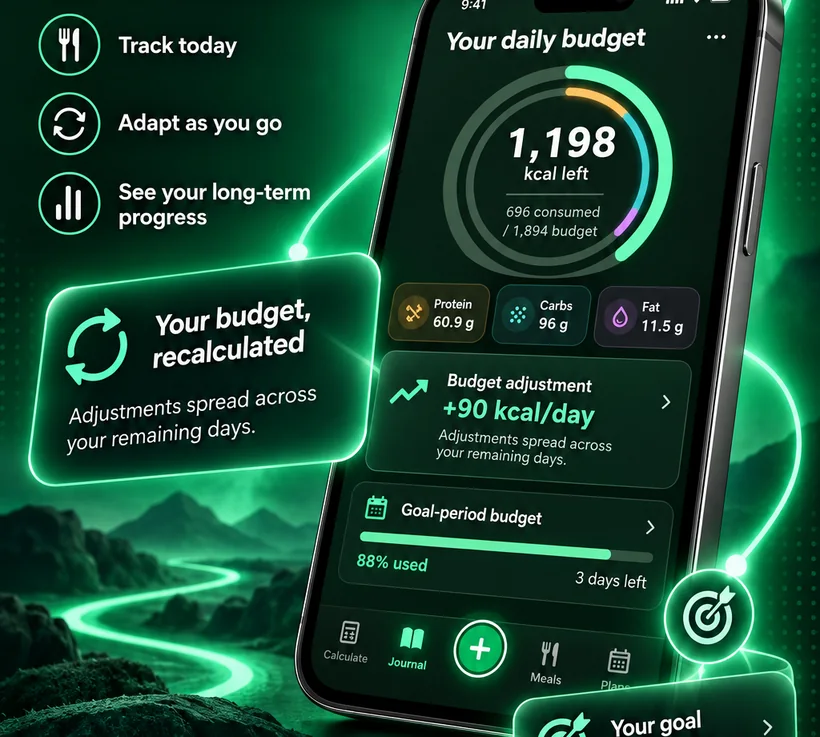
A dinner out shouldn't erase a good week. When a day runs over or under, Calorie Budget spreads the difference across the days you have left, so your goal stays on track and today's number stays honest.
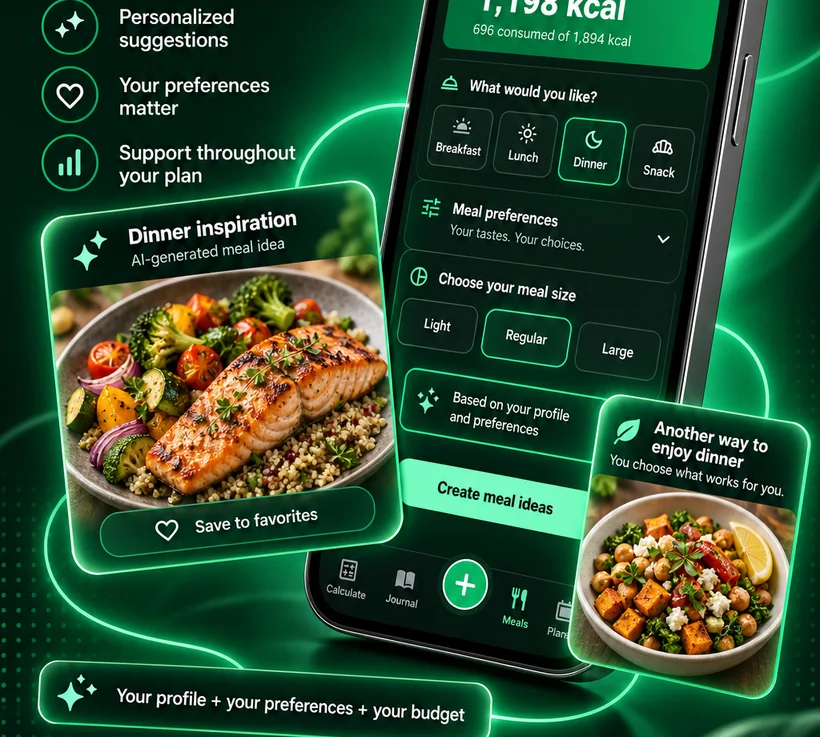
Choose breakfast, lunch, dinner or a snack and a portion size. AI suggests complete meals that fit the calories you have left and respect your preferences, exclusions and intolerances. Save the favourites and add a whole recipe to your Journal in one tap.
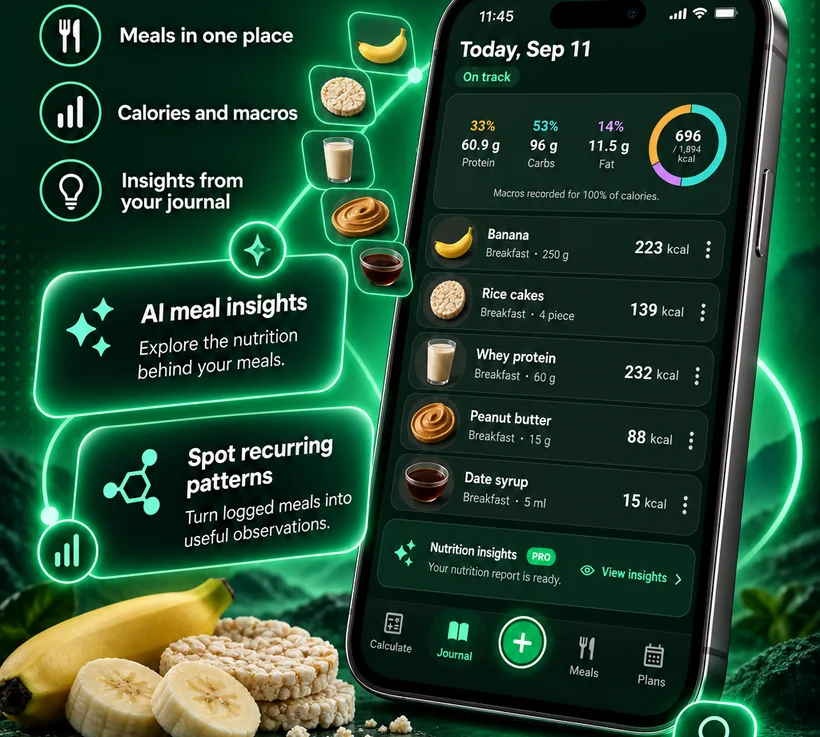
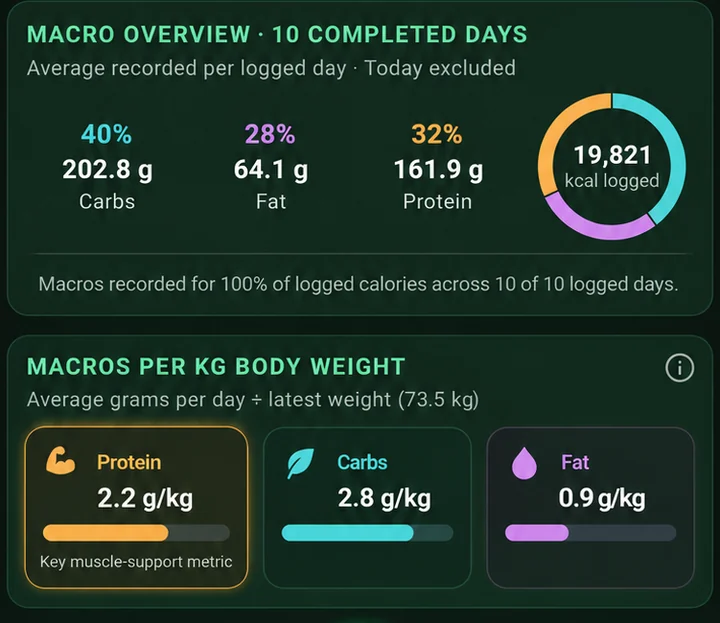
See every meal of the day with calories, protein, carbs and fat. Look back by day or by month, check your averages and let Nutrition Insights point out the foods and habits that matter most.
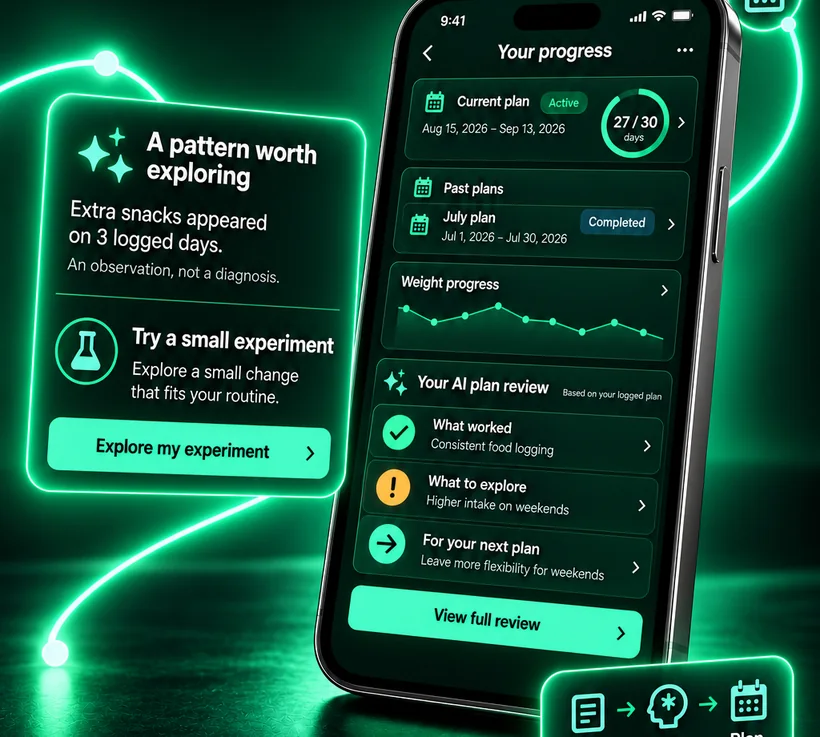
Calorie Budget looks for what keeps repeating—an evening snack, a busy-weekday lunch, a weekend drift—and suggests one small experiment to try. When a plan ends, an AI review turns what happened into a better next plan.
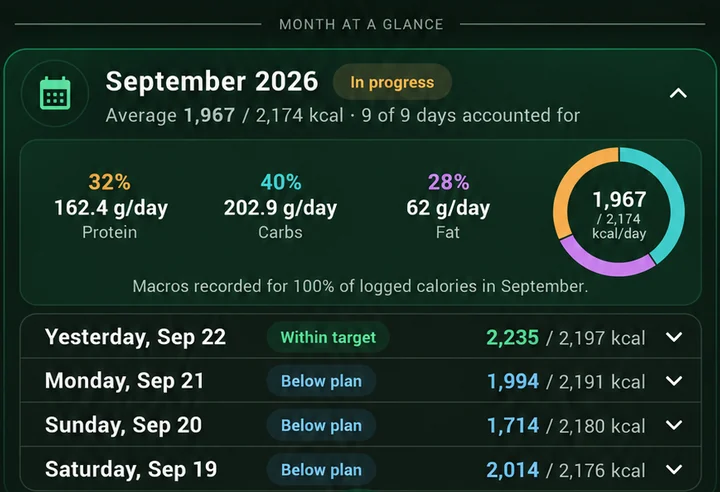
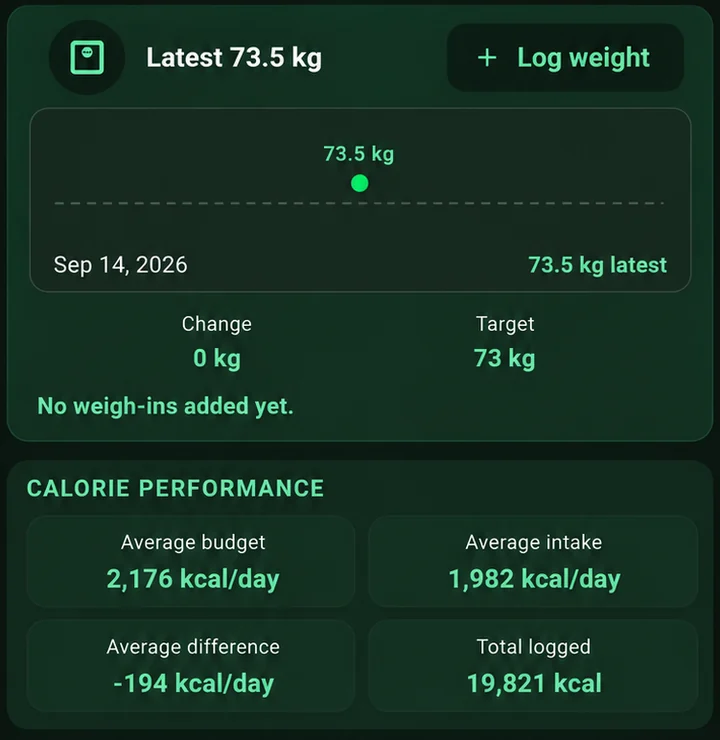
Real screens from Calorie Budget. Your month, your weight and your macros stay connected to the plan, so progress is easy to read.


You don't have to open the app to know where you stand.
Calories left, eaten and today's budget, updated as you log—plus a button to add your next meal.
A Tile and a watch-face complication show your budget at a glance. With PRO, just speak your meal into the watch—it's logged on your phone, with a quick undo.
 Free to start · PRO when you want more
The complete calorie plan and journal.
Everything in Free, plus:

Something else? Visit support or write to support@caloriebudgetapp.com.
Yes. Planning, the adaptive budget, the food journal, barcode scanning and the widget are free. Calorie Budget PRO is an optional Google Play subscription that unlocks the AI features. Prices are shown in the app before you subscribe, and you can cancel from your Play account at any time.
They are estimates based on what you describe or photograph, so the more specific you are about portions, the closer they get. Every item is saved as a normal Journal entry that you can open and correct in seconds.
Nothing breaks. The difference is spread across the remaining days of your plan, so tomorrow's budget adjusts a little instead of the whole plan failing.
Calorie Budget runs on Android phones from Google Play. A companion app for Wear OS watches shows your budget on a Tile and a watch-face complication, and PRO members can log meals by voice or text right from the wrist.
Your plan and journal are stored securely in your account. We do not sell personal information and do not use your journal for targeted advertising. Voice recordings are deleted after transcription, and you can delete your account from the app or from our website.
No. Calorie Budget is a general wellness tool and not a medical device. If you have a medical condition, are pregnant or have a history of disordered eating, talk to a qualified professional before starting a calorie plan.

Start your first plan in about a minute. It's free.